


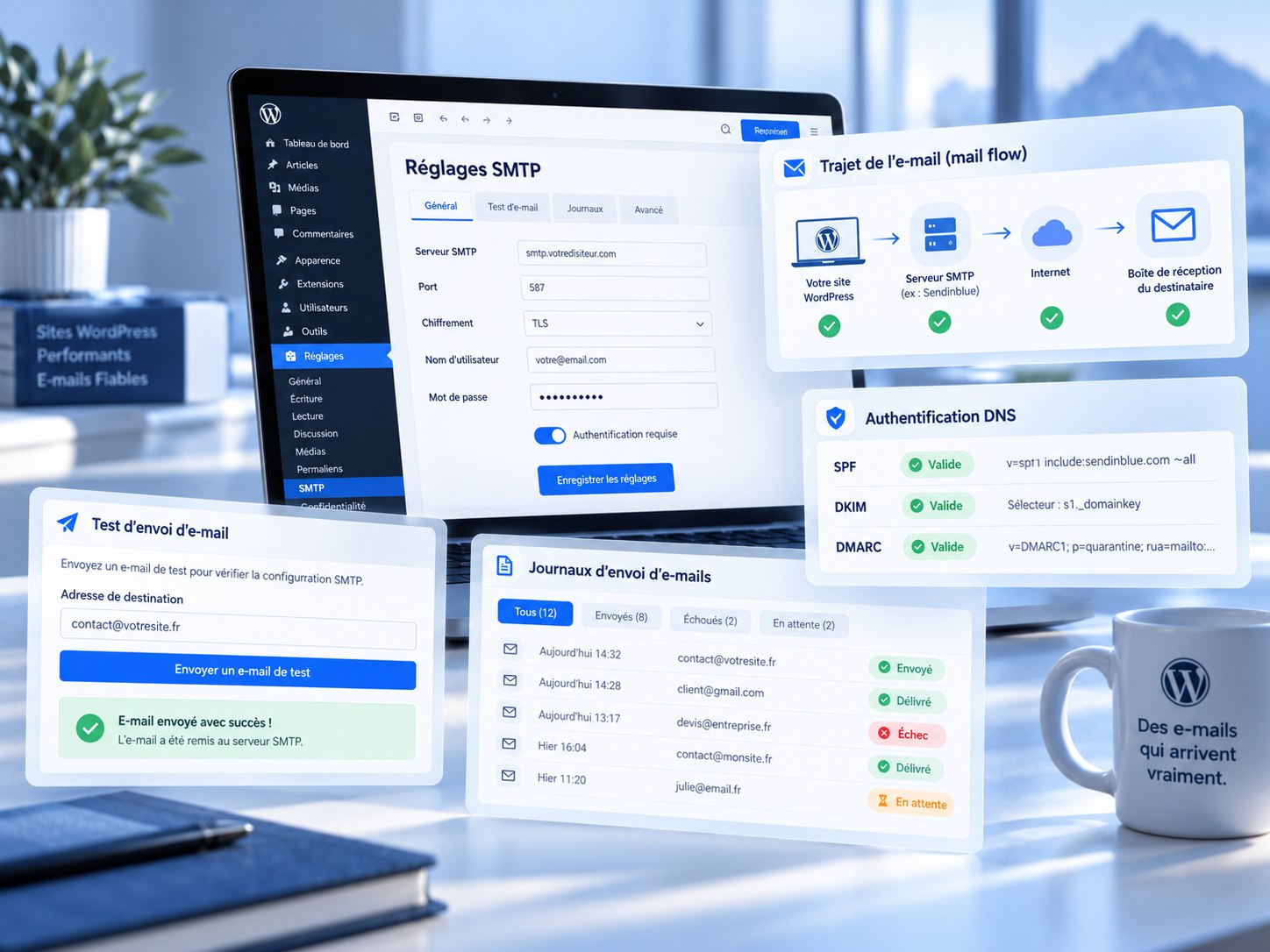
A WordPress form may report success even when the recipient never receives an email. The form processes a submission, WordPress hands the message to a sending mechanism and the email infrastructure attempts delivery. Success at one step does not prove that the full journey succeeded.
Reproduce the issue first
Send a controlled test, record the time and recipient, and inspect spam folders and inbox rules. Also test a password-reset notification. If multiple types of WordPress email fail, investigate the shared sending layer rather than only the contact form.
Understand wp_mail() and SMTP
WordPress notifications commonly use wp_mail(). Depending on the installation, it may use the hosting server's local mail transport. Configured SMTP can authenticate messages through a designated email service. This often helps reliability but cannot independently solve all DNS, sender reputation or recipient issues.
Verify the server settings
Review the SMTP host, port, encryption, username and permitted authentication method. Port 587 with STARTTLS and port 465 with implicit TLS are common options, but the provider's documentation takes precedence. Do not guess settings based on unrelated hosting accounts.
Use an authorized sender
Your From address must be allowed by your mail provider. SPF, DKIM and DMARC help receiving systems assess authentication and alignment. Configure them according to the domain and service actually sending mail. Correct authentication does not guarantee inbox placement.
Test the transport and inspect errors
A test-email button can confirm whether the server initially accepts the message. Authentication failures, connection errors and timeouts suggest different fixes. A successful test still requires checking real delivery. A minimal log of timestamps and success/error statuses is often sufficient; the message body should not be stored unnecessarily.
Protect credentials and personal data
Never expose SMTP passwords in screenshots or logs. Restrict access to settings, use encrypted connections and avoid multiple plugins competing to change outgoing mail. Apply appropriate retention rules to any personal data submitted through forms.
Check the form itself
Some form plugins follow their own hooks or integration paths. Confirm that submission actually triggers the expected email and that the sender and reply-to fields are valid. After a domain migration, retest contact forms, account notifications and administrative messages.
A reliable troubleshooting sequence
Reproduce the issue, validate sender and SMTP configuration, investigate technical errors and DNS authentication, and finally confirm receipt through more than one mailbox. This is usually more effective than repeatedly switching plugins.