


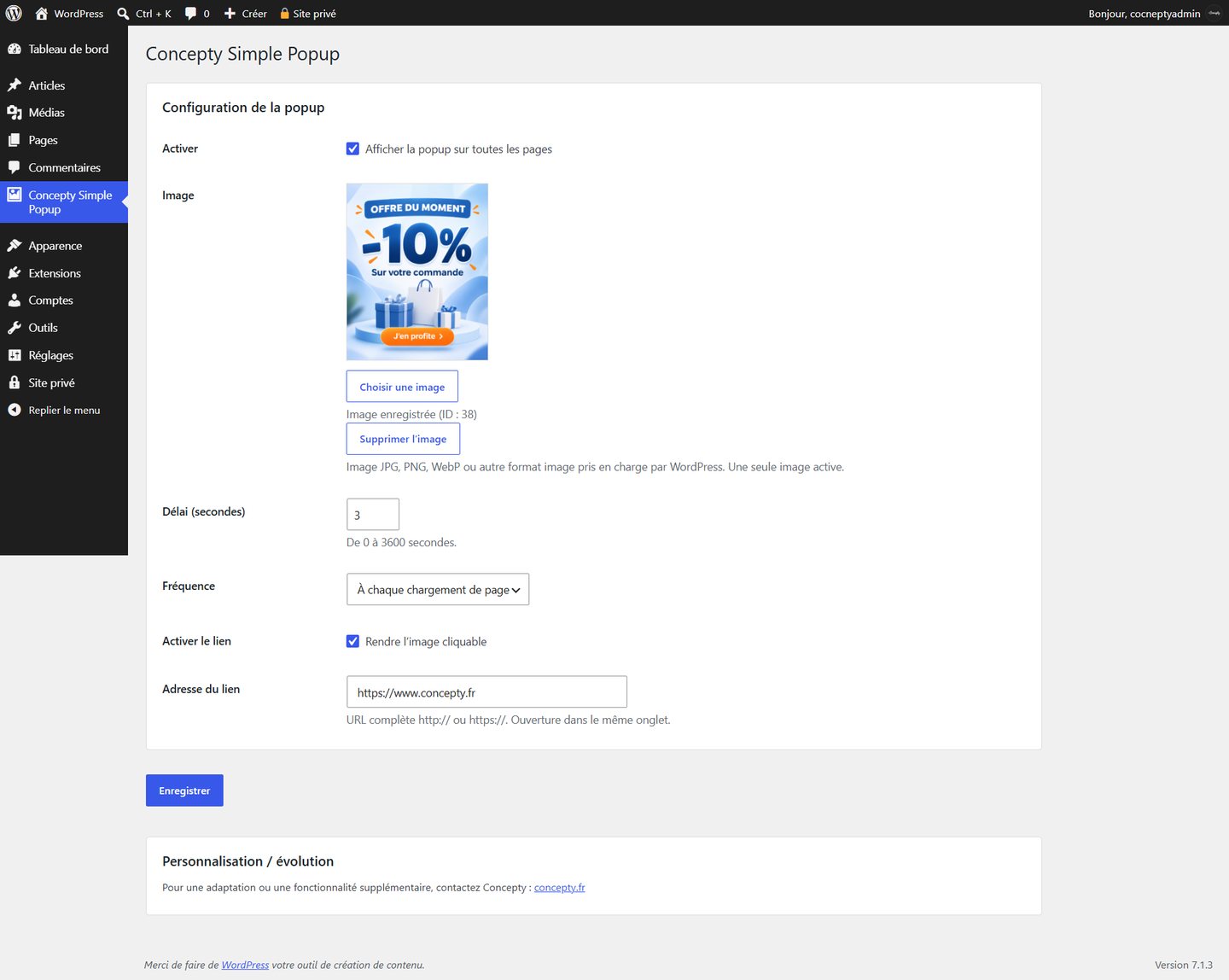
Want to announce an offer across your WordPress site without a page builder? Concepty Simple Popup displays one image in a centered overlay, with only a handful of essential settings.
Install the WordPress plugin
1. Request the plugin through its Concepty page. Once the ZIP file is provided, you can install it.
2. In WordPress, go to Plugins → Add New → Upload Plugin.
3. Upload the ZIP, install and activate it.
4. Open Concepty Simple Popup from its dedicated top-level admin menu.
Back up a live website before installing a new plugin and test compatibility with your theme.
Select the popup image
Choose an existing image or upload one through the WordPress media library. Save your settings and confirm that its preview remains visible in the admin screen. The plugin supports one active image at a time.
Keep the artwork lightweight and readable on mobile. A button drawn inside the image is not an independent HTML control: the optional image link determines where a click goes.
Configure delay and frequency
Set a delay between 0 and 3,600 seconds. Starting at 3 seconds is reasonable. Choose one of three display frequencies:
- Every page load.
- Once per visit.
- Once every 24 hours.
For a typical promotion, once per visit limits repetition. Use every-page mode temporarily when testing.
Set an optional destination
Enable the clickable-image setting and enter a complete https:// address when you want the promotion to link to another page. Otherwise, turn the option off. Links open in the same tab.
Test the result
Enable the popup and save. Open the front end, wait for the delay, check mobile layout and try dismissing the popup via the close button, outside click or Escape key.
If nothing appears, first verify that the image is saved, the popup is enabled and the frequency is not suppressing a repeat display. Temporarily choose every page load for troubleshooting.
Keep it simple
One image, a sensible frequency and an optional link are enough for many promotions. Contact Concepty for tailored changes.